
Most people picture patch management as a simple chore. A little update window pops up, someone clicks it, and the computer is safe again. If only it were that easy.
The truth is that keeping software updated is just one slice of a much bigger job. The real work is finding every weak spot an attacker could use, deciding which ones matter most, and fixing them before someone else finds them first. Software updates are part of that, but they are nowhere near all of it. Here is what good patch management actually looks like, in plain English.
What Patch Management Really Means
A patch is a fix. When a software maker discovers a flaw in their product, they release a patch to close it. Patch management is the practice of making sure those fixes actually get applied, across every device in your business, before attackers take advantage of the gap.
That sounds straightforward, and for a single laptop it almost is. The problem is that a real business runs on dozens of programs, several operating systems, and a pile of hardware, all updating on different schedules, some quietly failing to update at all. Multiply that across every employee and location, and the gaps add up fast. This is why the bigger and more accurate idea is vulnerability detection and remediation, which simply means finding the weaknesses and fixing them. Patching is one tool in that work. Here are the others people tend to miss.
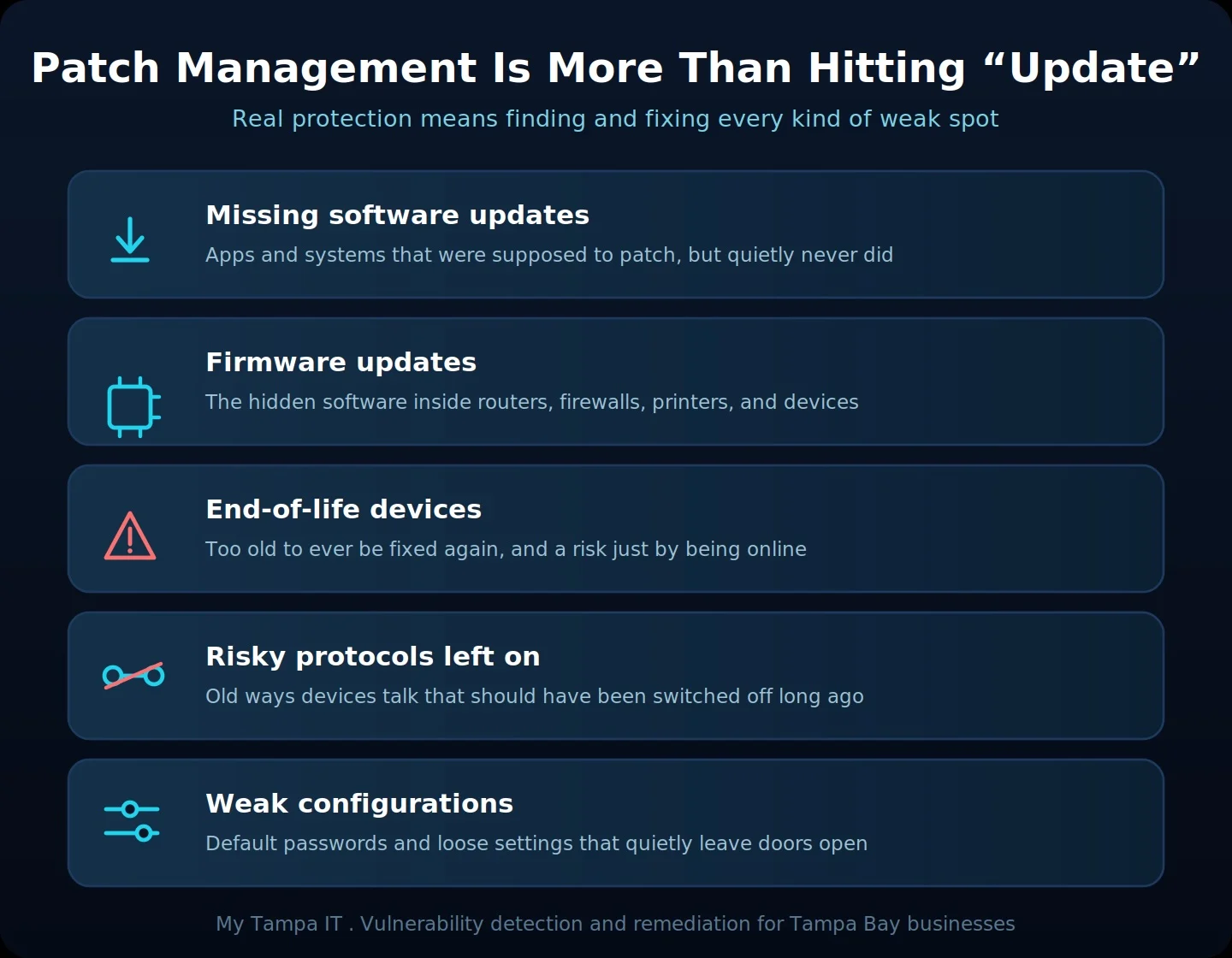
Missing Updates Are Only the Start
The most common gap is the simplest one. Updates that were supposed to install but never did.
It happens constantly. An employee keeps postponing the restart that finishes an update. A program is set to update itself but quietly breaks. A device that no one is actively managing falls months behind without anyone noticing. Each missed update is a known, published hole, and attackers specifically hunt for the ones people forgot to close. A single unpatched program can be all it takes.
The Hidden Software Inside Your Hardware
Here is something most owners never think about. Your hardware runs its own software too.
Your router, your firewall, your printers, your security cameras, and even the computer itself all run low-level software called firmware. It controls how the device works, it can contain security flaws just like any other software, and it almost never updates on its own. A perfectly patched computer can still sit behind a router running firmware from years ago with a weakness that is publicly known. Firmware is easy to forget, which is exactly why attackers look for it.
And it is not only your computers. Phones and tablets run software that needs to stay current too, which is why mobile updates are so important. Essentially, every other connected device on your network is simply one more piece of software that can quietly fall behind.
Some Devices Are Too Old to Be Online
Every device eventually reaches a point where the company that made it stops releasing fixes. After that, no update is ever coming, no matter how many times anyone clicks.
Windows 10 reached that point in October 2025, so machines still running it no longer receive security patches. Hardware hits the same wall. A device in this state is not just slow, it is a permanent open door, because the holes that get discovered from now on will never be closed. Some equipment is so far past its supported life that it should not be on your network at all. Keeping it running to save a little money is one of the most expensive risks a business can take.
The Doors You Forgot Were Open
Devices talk to each other using agreed methods called protocols. Think of them as the different languages and channels your equipment uses to communicate.
Some of those methods are old and insecure, built in an era with very different threats, and they were never meant to still be switched on. They often stay enabled simply because no one turned them off. Leaving them active is like leaving a side door unlocked because everyone forgot it was there. Part of real vulnerability work is finding these unnecessary, risky settings and shutting them down, along with the default passwords and loose configurations that quietly leave a business exposed.
You Cannot Fix What You Cannot See
All of this points to the same conclusion. Protection is not a button, it is a cycle.
It starts with seeing everything, every device, program, and connection in your business, and continuously scanning for weaknesses across all of them. Then it means prioritizing, because not every flaw is equally dangerous, and fixing the ones that matter most first. Then it means doing it again, because new weaknesses appear every week. A business that only clicks update when prompted is seeing a sliver of the picture and hoping the rest takes care of itself. It rarely does.
For businesses in regulated fields like healthcare, legal, and financial services, this is not just good practice. Ongoing vulnerability management is increasingly expected under rules like HIPAA and the FTC Safeguards Rule, and by cyber insurance carriers before they will cover you.
Patching the Right Way Without Breaking Things
Applying a fix is not as simple as forcing every update onto every machine the moment it appears. Updates can occasionally break the very software your team depends on, so doing this well means testing patches first and rolling them out in a controlled way, during sensible windows, so a fix never takes down your business in the middle of a workday.
It also means confirming the work actually landed. Pushing an update and verifying that it installed are two different things. Updates fail quietly all the time, and a machine that is waiting on a restart is still exposed until someone finishes the job. Good patch management closes that loop, checking that every fix is truly in place rather than assuming it is.
This Is a Core Part of What We Do at My Tampa IT
For most businesses, the hard part is not caring about security. It is having the time and the tools to handle it effectively and in a timely manner. That is one of the things we handle for the businesses we support.
We continuously look across your devices and software for missing updates, outdated firmware, equipment that has aged out of support, risky settings and protocols that should be switched off, and the weaknesses attackers actually target. Then we prioritize what matters and fix it, on an ongoing basis, not once a year. The goal is simple. You stay protected against the holes that lead to real breaches, without having to track any of it yourself.
For Tampa Bay Businesses, It Comes Down to Peace of Mind
Most Tampa Bay businesses do not want to become security experts. They want to know that someone competent is watching, that the doors are closed, and that a forgotten update or an aging device is not quietly putting everything they have built at risk.
That kind of steady, behind-the-scenes diligence is what turns security from a worry into something you simply trust is handled. In a community built on referrals and reputation, that peace of mind is worth a great deal.
Ready to Close the Gaps You Cannot See?
At My Tampa IT, we help Tampa Bay businesses go beyond hitting update, with ongoing vulnerability detection and remediation across the devices, programs, and connections you rely on. If you want to know where your real weak spots are and have them handled before someone else finds them, let’s talk. Contact My Tampa IT for a vulnerability review.
In the meantime, our free Patch and Vulnerability Self-Check is a quick way to start that inventory yourself.
Frequently Asked Questions
Get In Touch!
You’ve got questions. We’ve got answers.
Let’s start the conversation about your IT support needs.