
Most business owners meet their technology the same way. Something breaks, someone scrambles, a bill shows up, and everyone moves on until the next thing breaks. It feels normal because it is common. It is also one of the quietest drains on a growing company, because the money you spend putting out fires is money you never get to invest in things that actually move the business forward.
A Virtual CIO changes that pattern. The title sounds corporate, but the idea is simple. You get the strategic thinking of a chief information officer without carrying one on your payroll, someone whose job is to look at where your business is going and make sure your technology gets you there on time and on budget.
What a Virtual CIO Actually Does
A Virtual CIO, or vCIO, is not the person you call when your email stops working. That is day-to-day support, and it matters, but it is a different job. A vCIO sits above the day-to-day support function and thinks about the business. Your vCIO learns how your company makes money and where it is trying to grow, takes inventory of what you own and what is quietly nearing the end of its life, translates technology risk into plain business terms, and builds a plan that lines up your spending with your goals over the next several years rather than the next several weeks.
Think of it as the difference between a mechanic and a fleet manager. The mechanic fixes the truck that is broken today. The fleet manager makes sure you are never surprised by which truck breaks next, and that you replace them on a schedule you chose instead of one an emergency chose for you.
Why Running IT Reactively Costs More Than It Looks
Reactive technology feels cheaper because you only pay when something goes wrong. The problem is that the bill for going wrong is much larger than the invoice you see.
When a server fails or a critical application goes down, the real cost is not the repair. It is the hours your team cannot work, the customers who cannot reach you, and the projects that stall while everyone waits. Research from data protection firm Datto has pegged the average cost of downtime for a small or mid-sized business at roughly 8,000 dollars per hour once you add up lost productivity and lost revenue. Most owners never see that number on a statement, which is exactly why it is so easy to ignore.
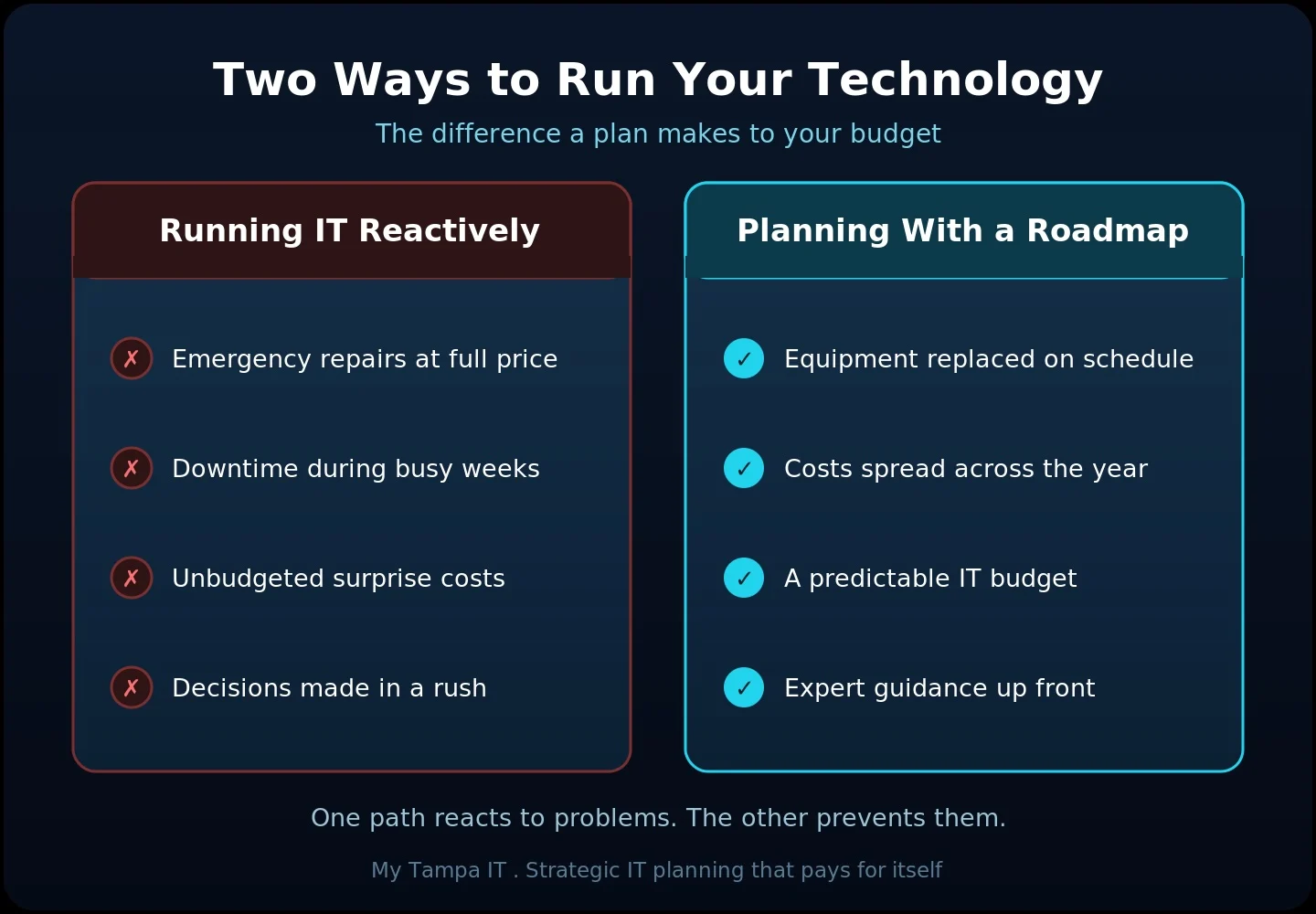
Reactive spending also arrives all at once and at the worst time. Hardware that was never on a replacement schedule fails during your busiest month. A license lapses right before a deadline. An emergency purchase gets made under pressure, usually at full price. None of it was budgeted, so all of it feels like a shock.
How a 3-Year Roadmap Saves You Money
A 3-year IT roadmap is the tool a vCIO uses to trade those surprises for a plan. Instead of guessing what next year holds, you have a clear view of what is coming, what it will cost, and when.
The savings come from a few directions at once. You replace equipment on a planned cycle, so you buy on your timeline and avoid the premium that comes with emergency purchases. You spread larger investments across quarters and years, so cash flow stays steady instead of lurching from one big expense to the next. You stop paying for software you no longer use, because someone is finally reviewing the whole picture. And you prevent much of the downtime that quietly eats your margins, because aging systems get addressed before they fail rather than after.
Just as important, a roadmap turns technology into a budget line you can forecast. When you sit down to plan the year, you already know what technology will require of you, and that predictability is worth real money.
For businesses in regulated fields, the roadmap does double duty. A healthcare practice under HIPAA, a law firm bound by state bar confidentiality rules and ABA Model Rule 1.6, or an accounting firm under the FTC Safeguards Rule all have obligations that are easier and cheaper to meet when they are planned for rather than patched together during an audit.
What Actually Goes Into the Roadmap
A good roadmap is specific to your business, but most cover the same core areas. These are the pieces a vCIO maps across the next three years, then reviews with you on a regular cadence and adjusts as things change.
- Hardware refresh timing for computers, servers, and network equipment, so nothing runs long past its safe and supported life.
- Software and subscription planning, including renewals, right-sizing, and cutting what you no longer need.
- Security and compliance improvements, including MFA, backups, endpoint protection, access controls, cyber insurance requirements, and audit readiness, sequenced so the highest risks are handled first.
- Major projects such as office moves, growth, or new systems, with budget and timing attached.
- A yearly budget forecast that turns all of the above into numbers you can plan around.
Where This Fits at My Tampa IT
Strategic technology planning is a core part of what we do for the businesses we support here in Tampa Bay. Our vCIO work is built around practical guidance, clear priorities, and decisions that serve your business, not one-time sales pushes. It is an ongoing relationship where we learn your goals, keep your roadmap current, and sit on your side of the table when technology decisions come up.
Many of the owners we work with started with solid day-to-day support and realized they needed something more forward-looking. If that sounds familiar, it is worth reading our thinking on [why a great IT person still leaves your business exposed without a strategy](https://mytampait.com/your-it-guy-is-great-but-your-business-needs-more/). We built our reputation here on relationships and referrals, so we only succeed when the plan we build actually serves your business over the long run.
Let Us Help You Plan Ahead
If your technology has felt more like a series of surprises than a plan, that is a fixable problem, and one we solve every day. Reach out to My Tampa IT and we will help you build a clear, realistic roadmap that fits your goals and your budget. A short conversation is usually all it takes to see where you stand.
Frequently Asked Questions
Some benefits show up quickly, such as trimming unused subscriptions or catching an aging system before it fails. The larger savings build over the first year as spending becomes predictable and emergencies become rare.
It replaces emergency spending with planned spending. You buy equipment on schedule instead of in a panic, spread big costs over time, cut what you no longer use, and prevent much of the downtime that quietly drains revenue.
Not at all. A roadmap is a living plan, not a contract with your future self. It is reviewed regularly and adjusts as your business grows and priorities shift. The point is to plan ahead, not to freeze in place.
No. Large companies hire a full-time CIO because they can justify the salary. Smaller businesses get the same strategic guidance through a vCIO without that cost, which is often where it makes the biggest difference.
Regular IT support keeps your systems running day to day. A Virtual CIO works a level above that, focusing on strategy, budgeting, and long-term planning. Many companies benefit from having both.
Get In Touch!
You’ve got questions. We’ve got answers.
Let’s start the conversation about your IT support needs.