
When most business owners think about the cost of a computer, they think about the price tag on a new one. That is the wrong number to worry about. The expensive machine is usually the old one you are still using.
It helps to start with the number that actually matters. For most businesses, payroll is the largest line item by far, much larger than anything spent on computers and equipment. That changes how you should think about technology. The goal is not to spend as little as possible on the tools. It is to protect the far greater investment you make in the people using them, because keeping your team productive outweighs the cost of the right technology every time.
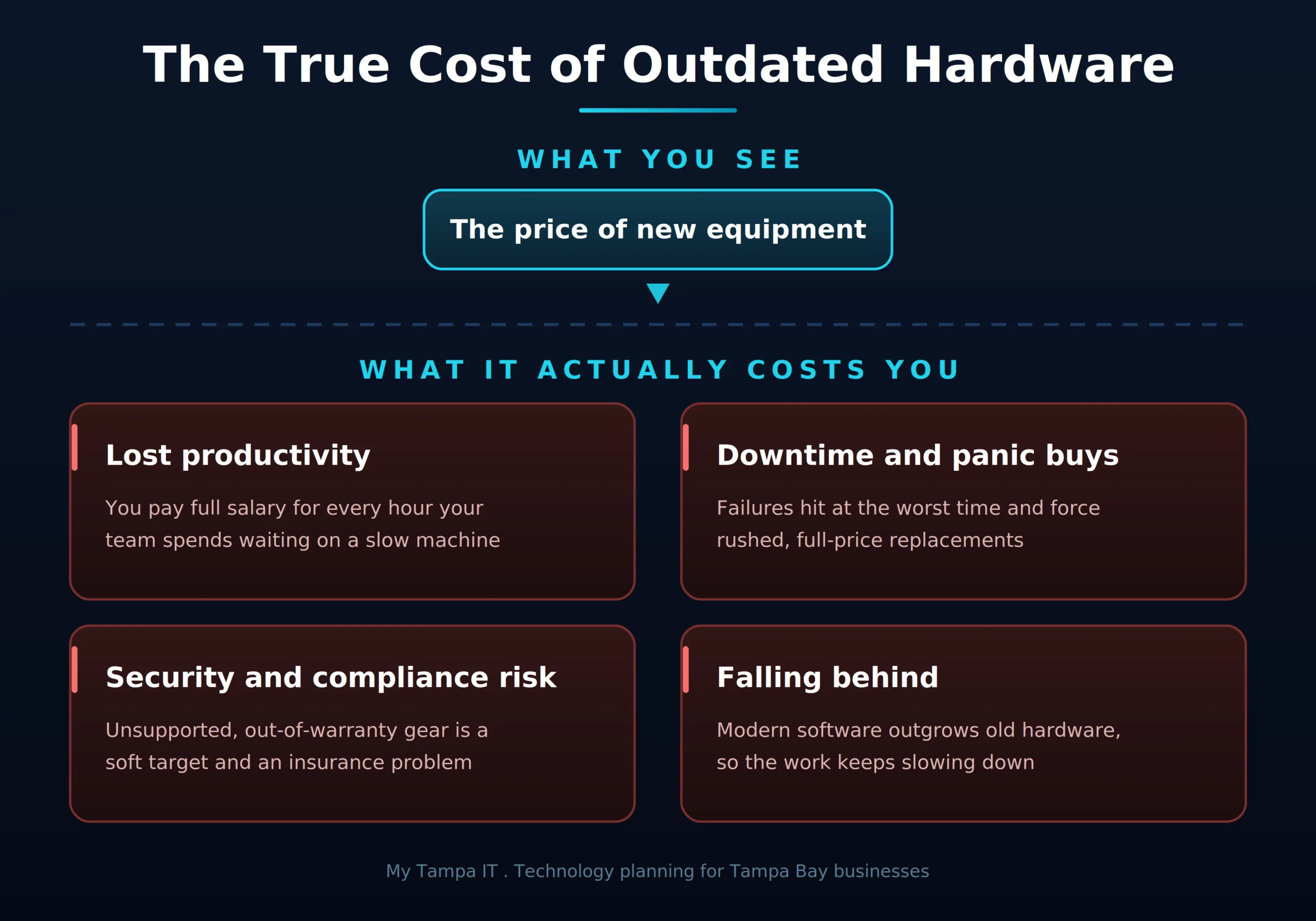
Once you see it that way, the real problem with outdated hardware comes into focus. It rarely announces itself with a single big bill. It drains money quietly, a few minutes here, a failed drive there, a security gap you never noticed. By the time the cost becomes obvious, it has often been adding up for years. Here is what that really looks like, and how a little planning turns it from a nasty surprise into a strategy you control.
The cost that never shows up on an invoice
The biggest expense of old hardware is the one you never get billed for. It is time.
A computer that takes three minutes to boot, stalls when it opens a large file, and freezes a few times a day does not feel like a crisis. It feels like a minor annoyance. But multiply those lost minutes across every employee, every day, every week, and you are paying full salary for hours of waiting. That cost does not happen once. It repeats every single day the slow machine stays in service, and it grows as the hardware ages. Compared to that steady drain, the price of a capable replacement often looks small.
Old hardware fails at the worst possible time
Equipment does not break on a convenient Tuesday afternoon. It fails in the middle of a deadline, a client deliverable, or your busiest season.
When that happens, you pay twice. Once in the lost work and the scramble to recover it, and again in the rushed, full-price replacement you buy under pressure with no time to plan. If the device is out of warranty, you also absorb the full cost of repairs and a slow turnaround while your team sits idle. Failure is not the cheap option. It is the most expensive one, and it almost always arrives at the moment you can least afford it.
An aging machine is a security and compliance risk
There is a quieter danger in old equipment. As hardware and its software age out of support, they stop receiving security updates, and unpatched systems are exactly what attackers look for.
Windows 10 reached the end of Microsoft support in October 2025, which means machines still running it no longer get security patches. Out-of-warranty, unsupported devices become soft targets, and one compromised machine can put your whole network at risk. For businesses in regulated fields like healthcare, legal, and financial services, running unsupported systems can also create compliance problems and complicate cyber insurance, since carriers increasingly expect supported, patched equipment before they will cover you.
Today’s software needs more than yesterday’s hardware
Here is something many owners do not factor in. The software your team runs has grown heavier every year.
Modern applications, constant cloud syncing, security tools running in the background, and the new wave of AI features all demand more memory, processing power, and storage than they did even a few years ago. Files are bigger, programs run heavier, and your team has several of them open at once. A machine that was perfectly capable four years ago can be struggling badly today, not because it is broken, but because the work has outgrown it.
This is also why buying the cheapest available equipment is rarely the bargain it appears to be. Underpowered gear struggles from the first day and ages out faster, so you end up replacing it sooner. The smarter move is matching the equipment to how your team actually works and to the software they actually run. Right-sized hardware keeps people productive and stretches the value of every dollar you spend. If a purchase is on the horizon, it is worth running through the questions to ask before buying new technology so the equipment fits your needs from day one.
Running it until it dies is the most expensive plan
The instinct to keep a computer until it stops working feels thrifty. In practice it is the costliest approach there is, because it guarantees maximum downtime, maximum emergency spending, and maximum security exposure, all at once and all unplanned.
The alternative is not buying everything new constantly. It is replacing equipment on a known schedule, before it becomes a liability, so the expense is predictable and the transition is smooth. Planned almost always beats panicked.
How we help you get ahead of all of this
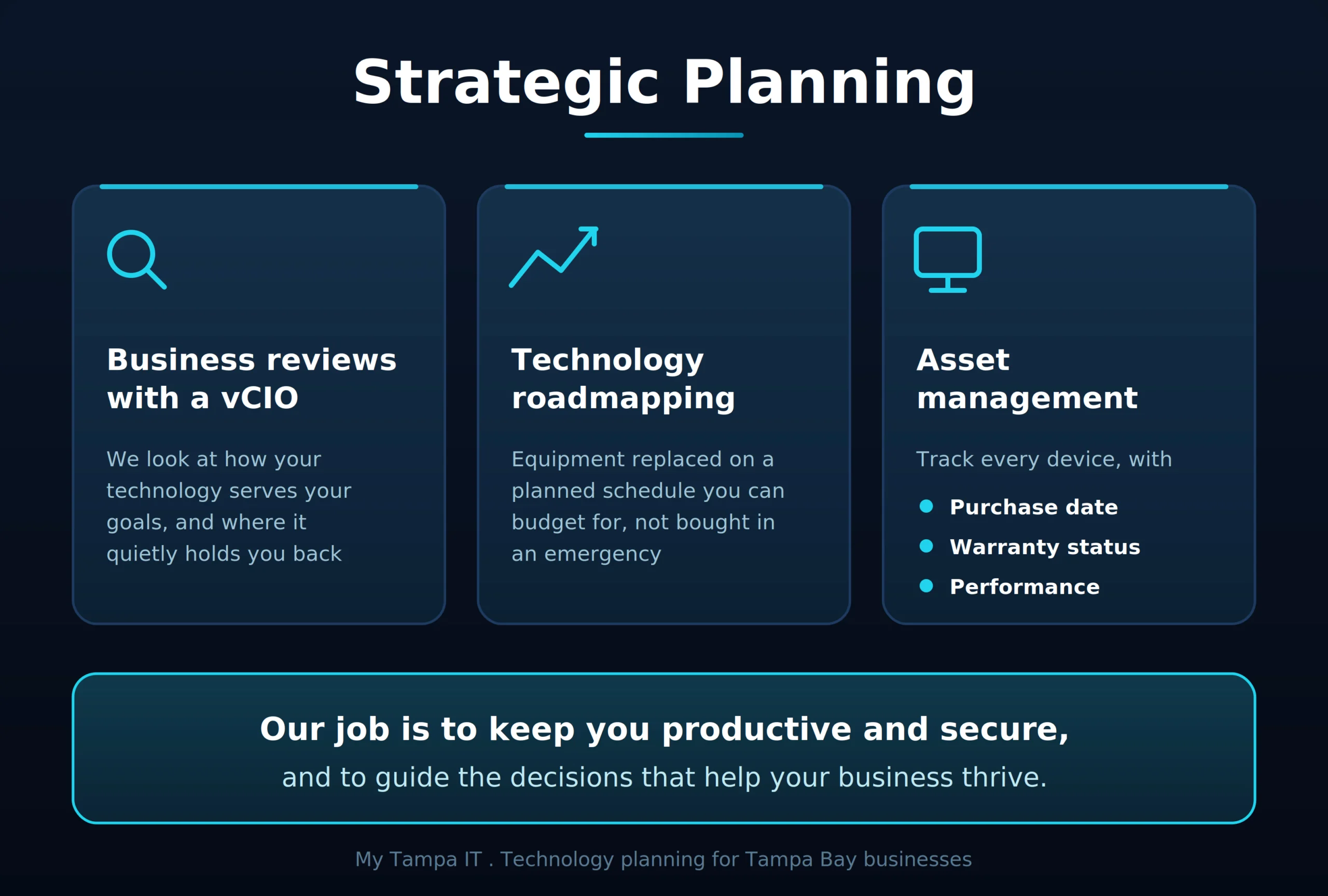
This is exactly where a plan replaces guesswork. At My Tampa IT, strategic technology planning is part of how we support the businesses we work with, not an upsell tacked on later. Our planning support comes down to a few things that work together.
- Regular business reviews with a virtual CIO, where we look at how your technology is serving your goals and where it is quietly holding you back
- Technology roadmapping, so equipment is replaced on a planned schedule you can budget for, instead of in an emergency
- Asset management that tracks every device, including its purchase date, warranty status, and real-world performance, so decisions are based on facts rather than guesswork
Here is the part that matters most. We are not hardware pushers. We do not make our money by talking you into equipment you do not need, and we will gladly tell you when a machine still has plenty of good life left in it. Our job is to keep your business as productive as possible and to guide the strategic decisions that keep you secure and help you thrive. Sometimes that means replacing a device. Just as often it means timing the replacement well, right-sizing it to your needs, and helping you avoid both the cost of waiting too long and the waste of buying more than you will ever use.
For Tampa Bay businesses, it comes down to working from a plan
The businesses that thrive are not the ones with the newest everything. They are the ones that know what they have, know when each piece needs attention, and are never blindsided by a failure or a surprise expense.
That kind of visibility is what turns technology from a recurring headache into a predictable, manageable part of running a healthy business. In a community built on referrals and reputation, the reliability that comes from planning ahead is something your clients feel, even if they never see the work behind it.
Ready to See What Your Technology Is Really Costing You?
At My Tampa IT, we help Tampa Bay businesses see exactly what they have, what it is costing them, and what to do next, through business reviews, technology roadmapping, and asset management built around your goals rather than a sales quota. If you want a clear picture of where your hardware stands and a plan you can budget for, let’s talk. Contact us to schedule a technology review.
Frequently Asked Questions
It starts with a conversation about where your business is headed. From there we inventory your equipment and capture each device’s purchase date, warranty status, and performance, then build a roadmap that shows what needs attention now, what to plan for, and what you can budget ahead for. You come away with a clear picture of what you have and a plan you can actually act on.
No. We are not hardware pushers, and we do not earn our keep by moving boxes. We recommend only what genuinely serves your productivity and security, and we are happy to tell you when keeping what you have is the right call. Our goal is sound strategic guidance, not a sales quota.
Still working is not the same as still worth it. A machine can power on while quietly costing you in lost time, sitting out of warranty, missing security support, and struggling to keep up with current software. The right question is not whether it still runs, but whether it is still helping your business more than it is holding it back.
It feels cheaper, but it is usually the most expensive path. Waiting for failure means you absorb the lost productivity, the emergency replacement bought at full price under pressure, and the security risk of running aging equipment, all without warning. Replacing on a planned schedule costs less overall and avoids the disruption.
The clearest signs are everyday ones. Slow startups, long waits when opening files or programs, frequent freezing or crashing, and a team that has quietly learned to work around their own computers. The real measure is time. If people lose even ten or fifteen minutes a day to sluggish machines, that adds up to a serious cost across a full year, and it is worth measuring rather than tolerating.
Get In Touch!
You’ve got questions. We’ve got answers.
Let’s start the conversation about your IT support needs.